

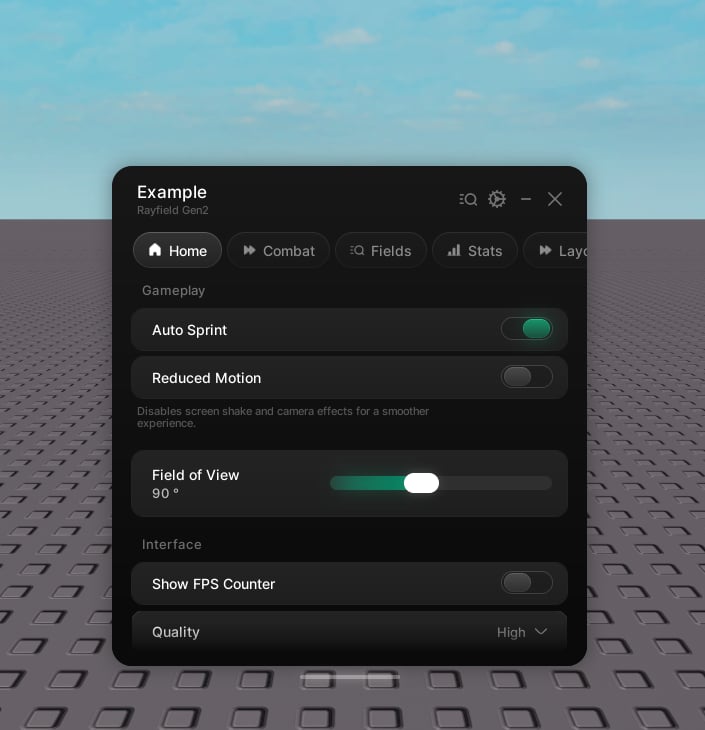
Shared properties
Every element accepts these on top of its own.string
The label.
string
Hint text under the label.
string | number
An icon shown beside the label.
Value handles
Every value element (toggle, slider, dropdown, input, keybind, color picker) follows the same shape.- Read the current value from
.value. - Write it with
Set(value). This fires the callback, so the change actually takes effect. - Pass
Set(value, true)to skip the callback when you only want to move the UI. - Keybind is the exception:
SetfiresonChanged, never the press callback. - Dropdown’s
.valueis always a table, even in single mode - see Dropdown.
Flags
Value elements save on their own under a key derived from their name. Pass an explicitflag when the name is localized, might be renamed, or could collide with another element. Set forgetState = true to skip saving entirely.
window.Flags, window:Get, and window:Set. See Saving.
Locking
Every element you can operate - button, toggle, slider, dropdown, input, keybind, color picker - can be locked. A locked element dims, stops taking input, and will not fire its callback. That last part is the one that matters: a lock that only greys the pixels is not a lock.Lock it. The reason takes the place of the description while it’s locked; without one, the description stays as it was.
Unlock it.
boolean
Whether it’s currently locked.
Set still works on a locked element, so you can move it from code while the player can’t. It’s user input that’s blocked.Reordering
Every element handle can move within its tab.The elements
Button
Run a function on click.
Toggle
Switch a boolean on and off.
Slider
Pick a number in a range.
Dropdown
Choose one option or several.
Input
A text field.
Keybind
A rebindable key.
Color picker
Pick a colour and alpha.
Stat
A read-only number that rolls on change.
Progress
How far along something is.
Console
Live log output, or a block of code.
Text
A title, a body, or both.
Divider
A rule across the page, or just room.