> ## Documentation Index
> Fetch the complete documentation index at: https://docs.sirius.menu/llms.txt
> Use this file to discover all available pages before exploring further.
# Toggle
> Switch a boolean on and off.
A toggle flips a boolean. `CreateSwitch` is an alias for the same element.
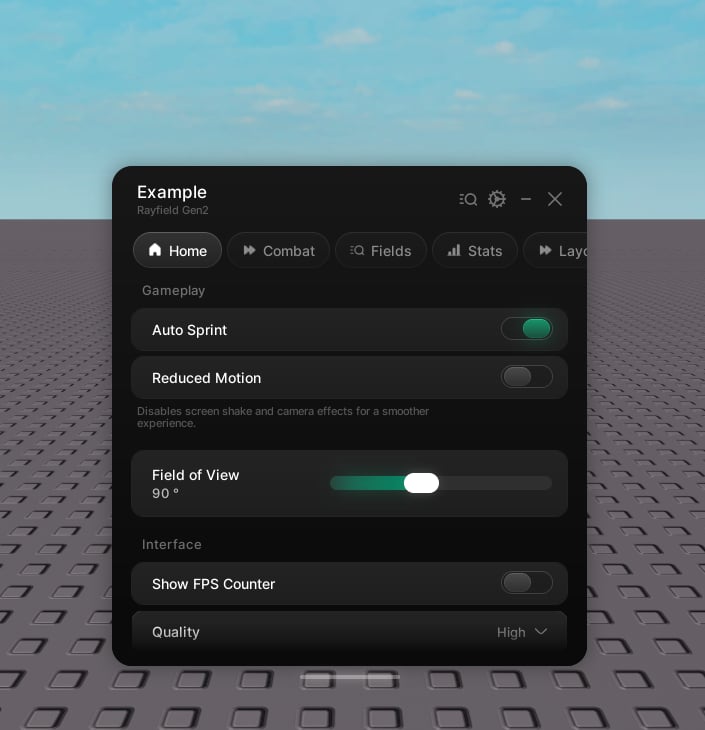 ```lua theme={null}
local sprint = tab:CreateToggle({
name = "Auto Sprint",
flag = "AutoSprint",
value = true,
callback = function(value)
print("Auto Sprint:", value)
end,
})
sprint:Set(false)
```
## Properties
The label.
Hint text under the label. Optional.
An icon shown beside the label. Optional.
The initial state.
The save key. Optional.
Skip saving.
Runs with the new value on every change.
## Handle
The current state.
Set the state. Pass `true` as the second argument to skip the callback.
```lua theme={null}
local sprint = tab:CreateToggle({
name = "Auto Sprint",
flag = "AutoSprint",
value = true,
callback = function(value)
print("Auto Sprint:", value)
end,
})
sprint:Set(false)
```
## Properties
The label.
Hint text under the label. Optional.
An icon shown beside the label. Optional.
The initial state.
The save key. Optional.
Skip saving.
Runs with the new value on every change.
## Handle
The current state.
Set the state. Pass `true` as the second argument to skip the callback.