> ## Documentation Index
> Fetch the complete documentation index at: https://docs.sirius.menu/llms.txt
> Use this file to discover all available pages before exploring further.
# Input
> A text field that commits when the player is done.
An input is a text field. It commits when the player clicks away or presses enter, not on every keystroke.
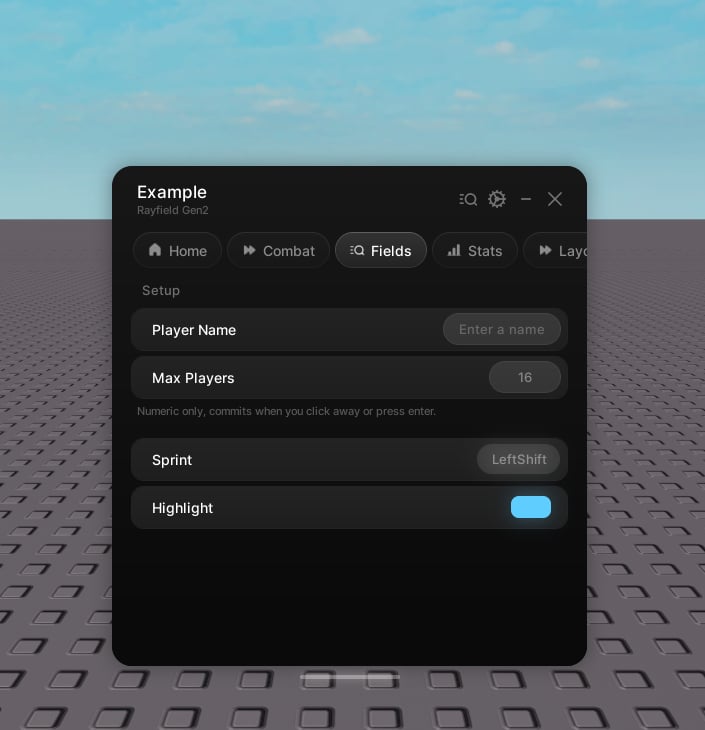 ```lua theme={null}
tab:CreateInput({
name = "Max players",
numeric = true,
value = "16",
placeholder = "Enter a number",
callback = function(text)
print("Committed:", text)
end,
})
```
Inputs are full-width and live at the tab level. Create them directly on the tab, not inside a group.
## Properties
The label.
Hint text under the label. Optional.
An icon shown beside the label. Optional.
The initial text.
Ghost text shown while the field is empty.
Accept numbers only. Commits a clean number, and clears if the text is malformed.
Empty the field when it gains focus.
The save key. Optional.
Skip saving.
Runs with the text on commit.
## Handle
The current text.
Set the text.
```lua theme={null}
tab:CreateInput({
name = "Max players",
numeric = true,
value = "16",
placeholder = "Enter a number",
callback = function(text)
print("Committed:", text)
end,
})
```
Inputs are full-width and live at the tab level. Create them directly on the tab, not inside a group.
## Properties
The label.
Hint text under the label. Optional.
An icon shown beside the label. Optional.
The initial text.
Ghost text shown while the field is empty.
Accept numbers only. Commits a clean number, and clears if the text is malformed.
Empty the field when it gains focus.
The save key. Optional.
Skip saving.
Runs with the text on commit.
## Handle
The current text.
Set the text.